- Capabilities
- Getting started
- Architecture center
- Platform updates
Getting started
Use the following section below to explore useful tips and best practices to get started with Palantir MCP.
Ask for coding help
If you need coding assistance, the Palantir MCP can help by searching the Palantir documentation or getting context about your current repository.
In a TypeScript OSDK repository:
Copied!1What ontology objects do I have in my OSDK?
In a Python transforms repository:
Copied!1Can you rewrite this Python transform to use lightweight?
Analyze a dataset
If you are working in a Python transforms repository, it is often necessary to understand the contents of a dataset. You can prompt the model to analyze datasets for you by providing a dataset RID.
Replace the in the prompt below with a dataset RID or URL to the dataset, or reference an existing transform code file (commonly using the @ shortcut).
Copied!1Can you find an appropriate primary key in this dataset: <RID>?
Create an Ontology object with notional data
If you are working on a TypeScript OSDK application, it is common to reference data that may not yet be in the ontology. Instead of breaking focus on your current task, you can ask the MCP to create notional data for you and continue working on your application.
Copied!1 2 3 4 5I'm working on this OSDK application and need to reference some user data that I don't have in my OSDK yet. Can you create a new notional user dataset, create a new User Ontology object, and then create a pull request for me? The user dataset should have the columns: user_id, name, email
Ask what tools are available
To learn about Palantir MCP capabilities that can be useful for your workflows, you can ask the following:
Copied!1 2What tools does the Palantir MCP (Model Context Protocol) provide? When should they be used?
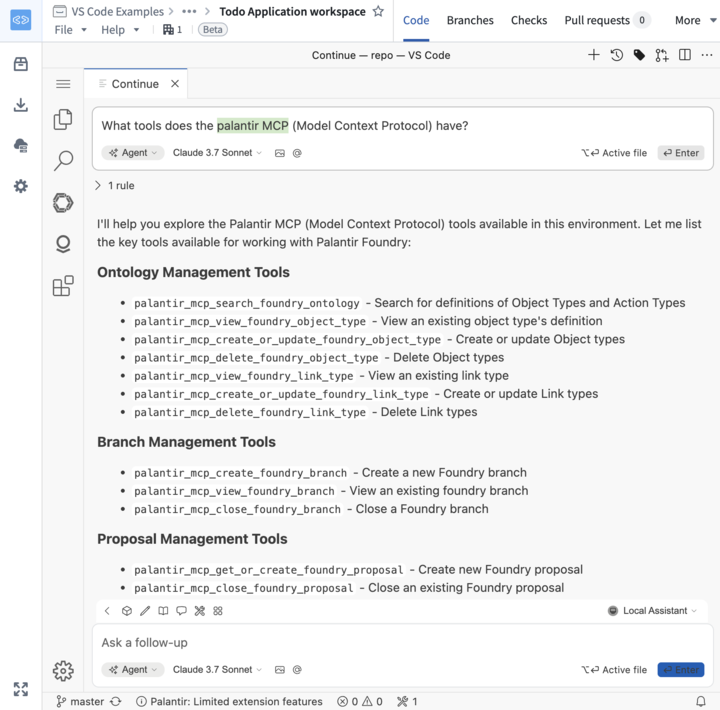
Tool search is enabled by default, so your agent initially sees search_tools with guidance on available capabilities. To discover tools for a task, give your agent a specific request, such as Find tools to inspect a dataset schema and run a SQL query. The available tools page lists the full catalog.