# Applications pages
Pages offer application builders the ability to split application UI, logic, and resources (for example, [queries](../concepts-queries/index.md), [variables](../concepts-variables/index.md), [functions](../concepts-functions/index.md), and [events](../concepts-events/index.md)) into different pages within a single application, providing isolated scope for each page that loads separately.
Splitting up the logic of a complex Slate application into pages not only simplifies refactoring but also enhances stability, maintainability, and performance. By using pages and shared variables effectively, developers can create well-organized, efficient applications that elevate both performance and user experience.
## Create a new page
To add a page to a Slate application:
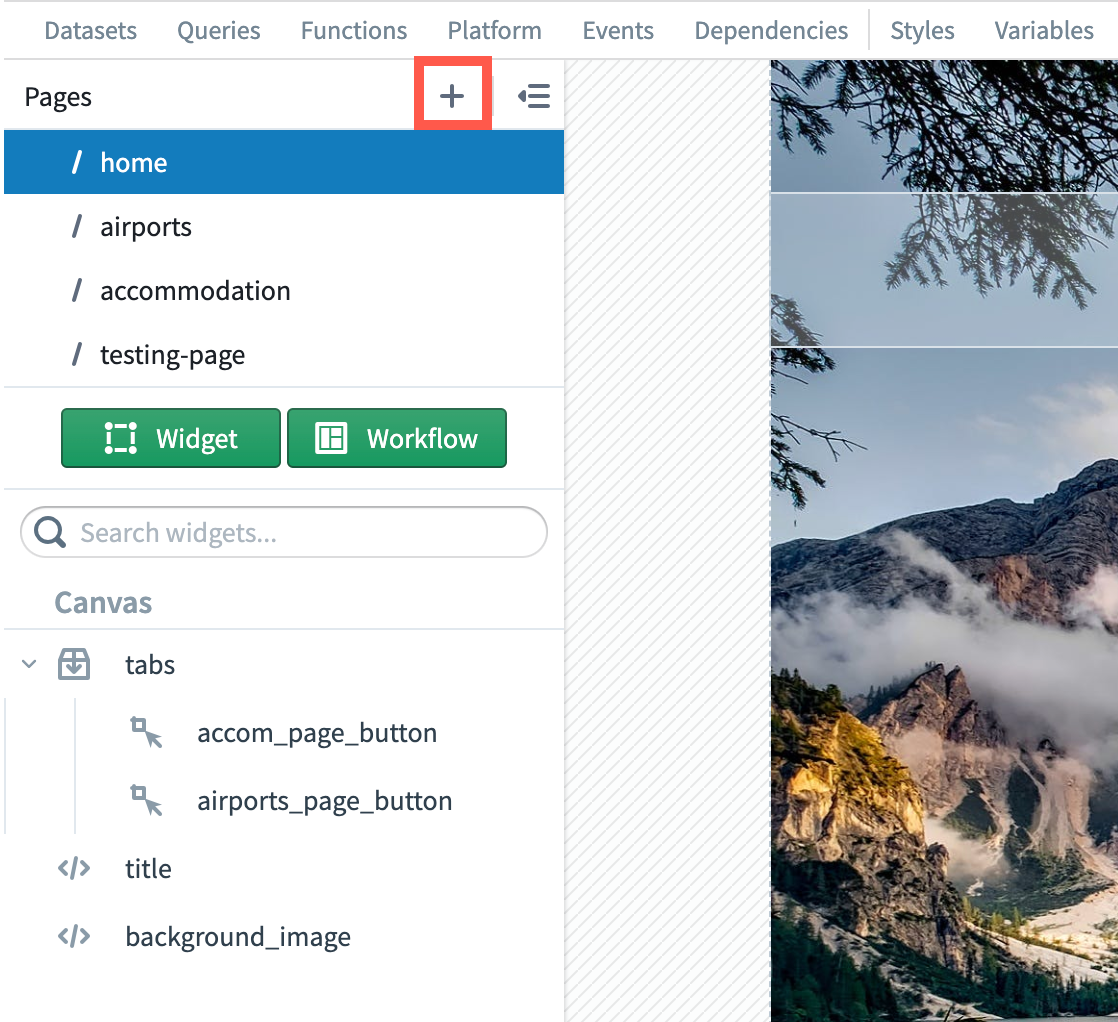
1. Select the **+** option in the **Pages** panel.
2. Enter the page name.
 ## Delete a page
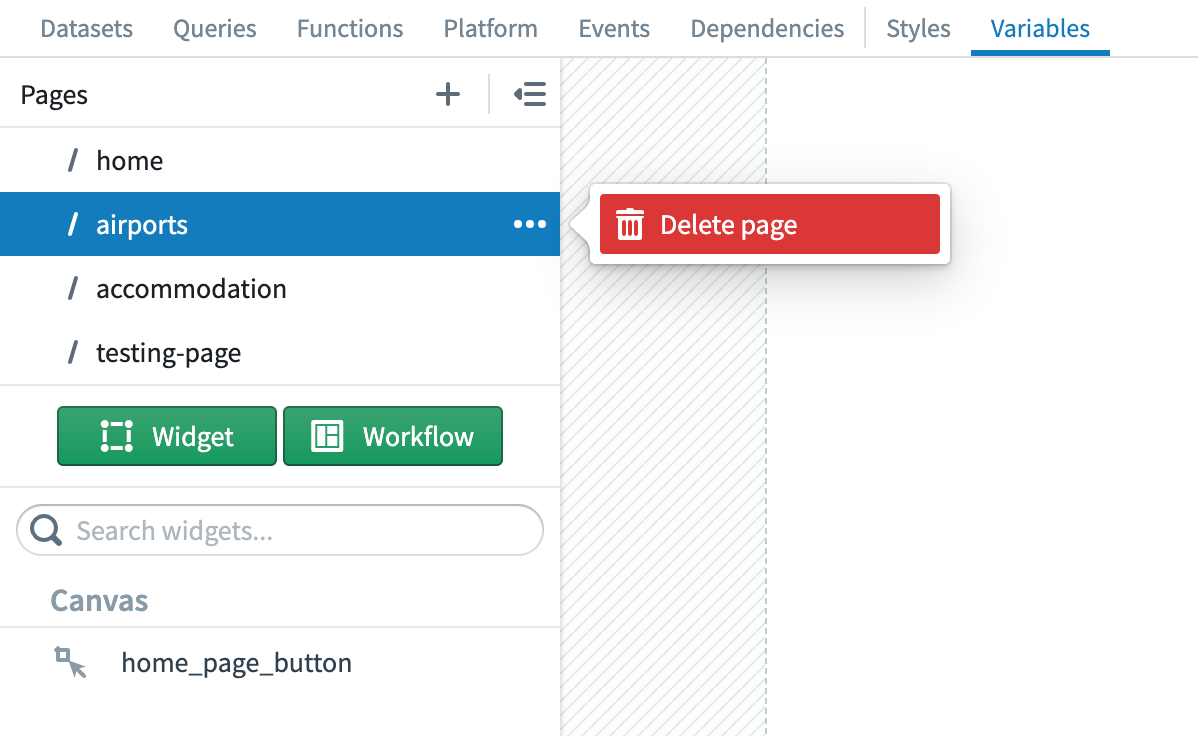
To delete a page from a Slate application, open the **...** dropdown menu in-line with the specific page in the **Pages** panel, then select **Delete**.
## Delete a page
To delete a page from a Slate application, open the **...** dropdown menu in-line with the specific page in the **Pages** panel, then select **Delete**.
 ## Navigate between pages
The [onNavigate\[page\_name\]](../concepts-events-and-actions-index/index.md#slateonnavigatepage_name) event and [navigateTo\[page\_name\]](../concepts-events-and-actions-index/index.md#slatenavigatetopage_name) action allow for simple navigation between pages within the same application.
The URL updates accordingly when navigating between pages.
You can share a link directly to a specific page within a Slate application by using a page's name in the URL.
## Navigate between pages
The [onNavigate\[page\_name\]](../concepts-events-and-actions-index/index.md#slateonnavigatepage_name) event and [navigateTo\[page\_name\]](../concepts-events-and-actions-index/index.md#slatenavigatetopage_name) action allow for simple navigation between pages within the same application.
The URL updates accordingly when navigating between pages.
You can share a link directly to a specific page within a Slate application by using a page's name in the URL.
 ## State sharing between pages
"Application state" refers to the condition or status of an application at any given moment. It encompasses all the variables, user inputs, settings, and configurations that can influence the behavior and output of the application.
For instance, in a shopping app, the application state might include the items a user has added to their cart, the user's preferences, whether the user is logged in or not, and so on.
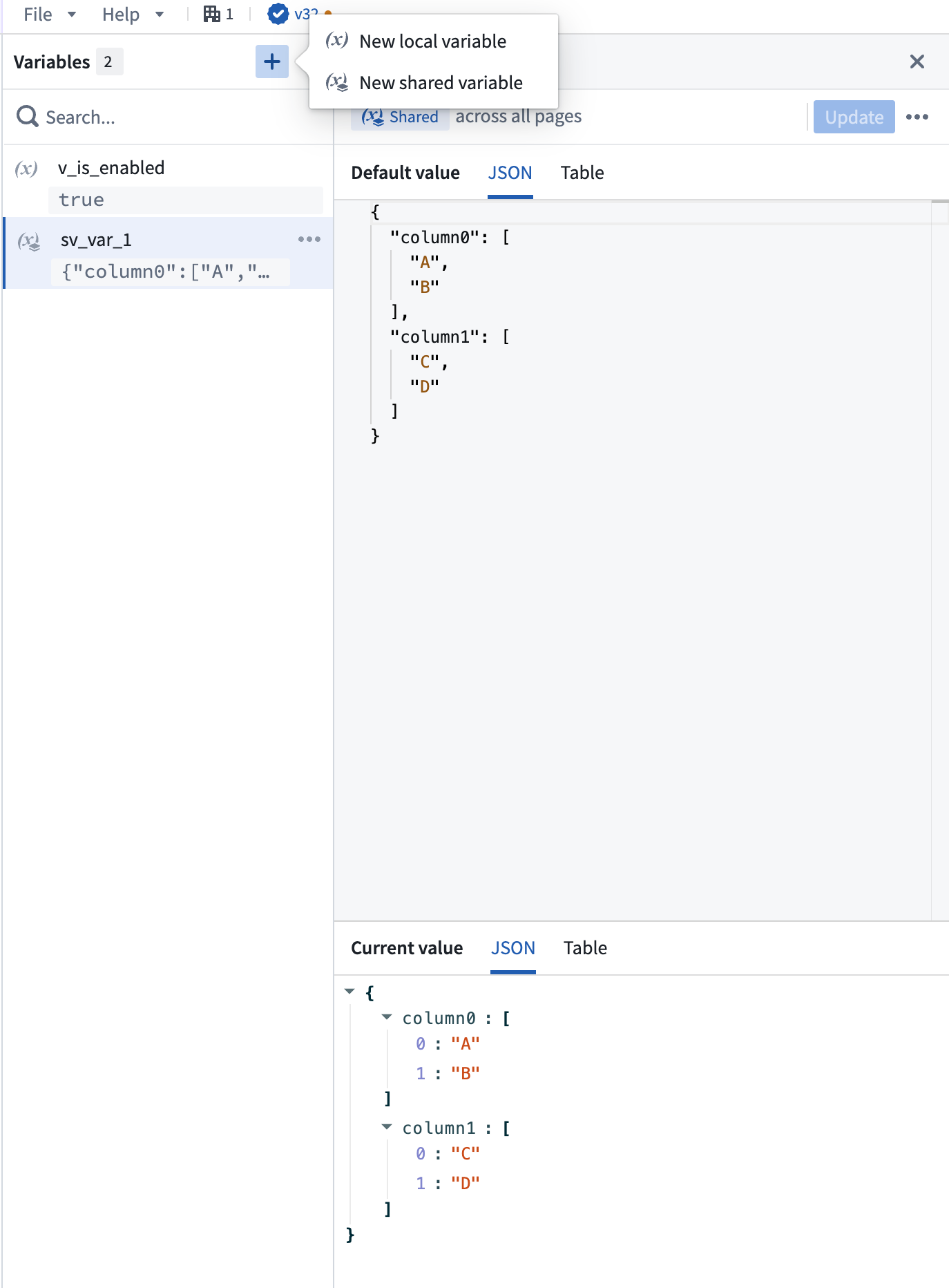
Sharing application state between pages is done using [shared variables](../concepts-variables/index.md#creating-a-variable) which can be referenced from any page across the entire application.
For example, a function or user interaction on one page can set or modify the value of a shared variable, while another page can read from and use that value to allow for cross-page communication.
## State sharing between pages
"Application state" refers to the condition or status of an application at any given moment. It encompasses all the variables, user inputs, settings, and configurations that can influence the behavior and output of the application.
For instance, in a shopping app, the application state might include the items a user has added to their cart, the user's preferences, whether the user is logged in or not, and so on.
Sharing application state between pages is done using [shared variables](../concepts-variables/index.md#creating-a-variable) which can be referenced from any page across the entire application.
For example, a function or user interaction on one page can set or modify the value of a shared variable, while another page can read from and use that value to allow for cross-page communication.
 Use the [user storage](../concepts-variables/index.md#user-storage-variable) variable to store application state information for individual users that needs to persist across application loads, such as user preferences for a specific application. The user storage variable is also accessible from any page across the application.