# Add a parameter
## Add a parameter within text
You may wish to display the current value of a parameter within a block of text. To do this:
1. Select some text.
2. Click the **Parameter** button in the formatting toolbar to create a new string parameter.
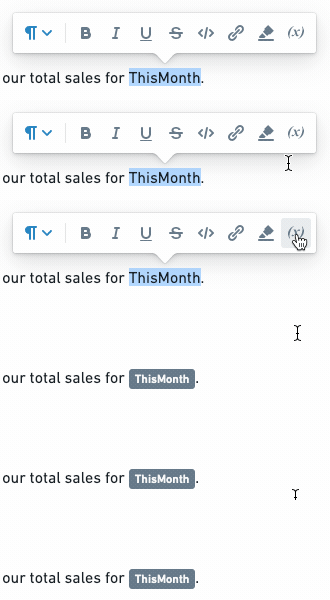
3. Merge the new parameter into the desired Contour parameter. [Learn more about merging parameters.](../merge-multiple-parameters/index.md)
The current value of the merged parameter will now appear inline when in Viewing mode (in Editing mode, only the name of the parameter will appear inline).

## Add a parameter from another Foundry application
Some Foundry Applications allow editors to add parameters to control how data is filtered in a visualization. Adding a widget from another Foundry application to a report (e.g., [Add boards from Contour](../add-content-from-other-apps/index.md)) will also automatically add any parameters that affect it.
### Add a parameter from Contour
[Learn more about parameters in Contour.](../parameters-overview/index.md)
1. Open a Contour analysis, then create or open a path.
2. *(If needed)* Switch to Editing mode.
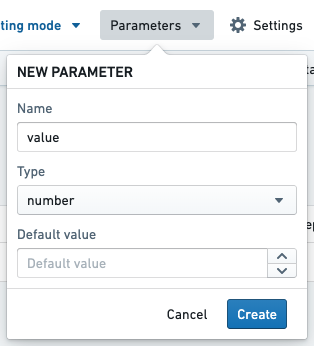
3. Create a parameter (e.g. a String parameter named `$value`).
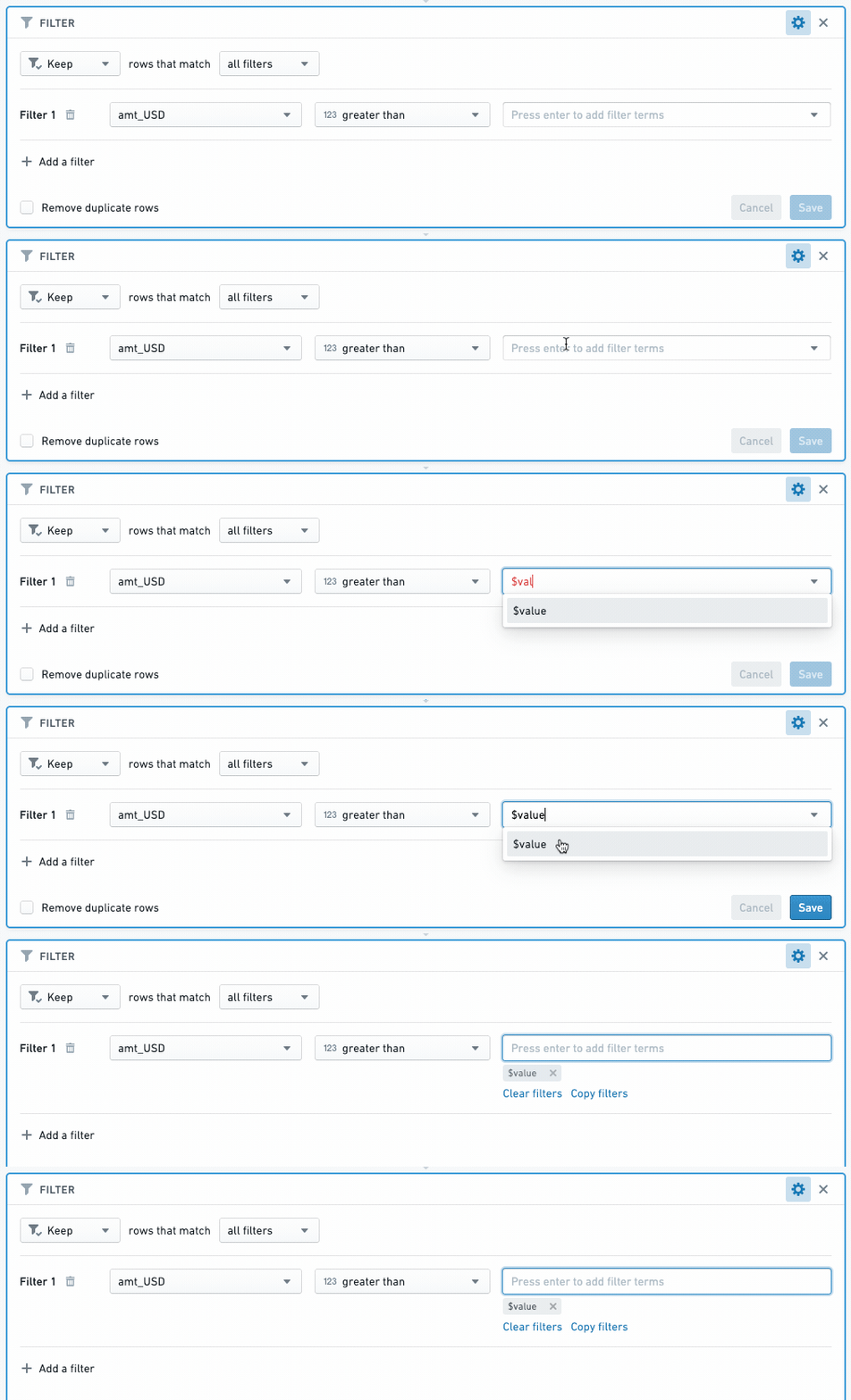
4. Add a [Filter board](../../contour/boards-filter/index.md) to your path. Enter the name of a column to filter, then enter the name of your parameter (e.g. `$value`) in the value field.
5. Create a visualization board *(e.g. Chart, Table)* below the Filter board.
6. Add the visualization board to a report (see: [Add boards from Contour](../add-content-from-other-apps/index.md)).
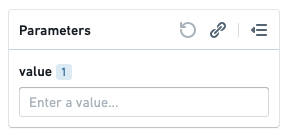
The visualization board will appear in the report you selected, and the `$value` parameter will appear in the report's parameters bar. Changing the parameter value will now change the data that appears in the visualization board.
### Add a parameter from Code Workbook
Like Contour, Code Workbook allows editors to filter data with parameters.
* See [Using Parameters with Templates](../../code-workbook/templates-overview/index.md) to learn how to create parameters in Code Workbook
* See [Add boards from Code Workbook](../add-content-from-other-apps/index.md) to learn how to add parameterized content from Code Workbook to a report.