# Expression
Use the expression language to derive new columns or perform complex filtering. Advanced features available only in this card, such as [window functions](../../contour/expressions-syntax/index.md) can be used to unlock new types of analysis in Quiver. To use, select either an object set, dataset card, or another Expression card.
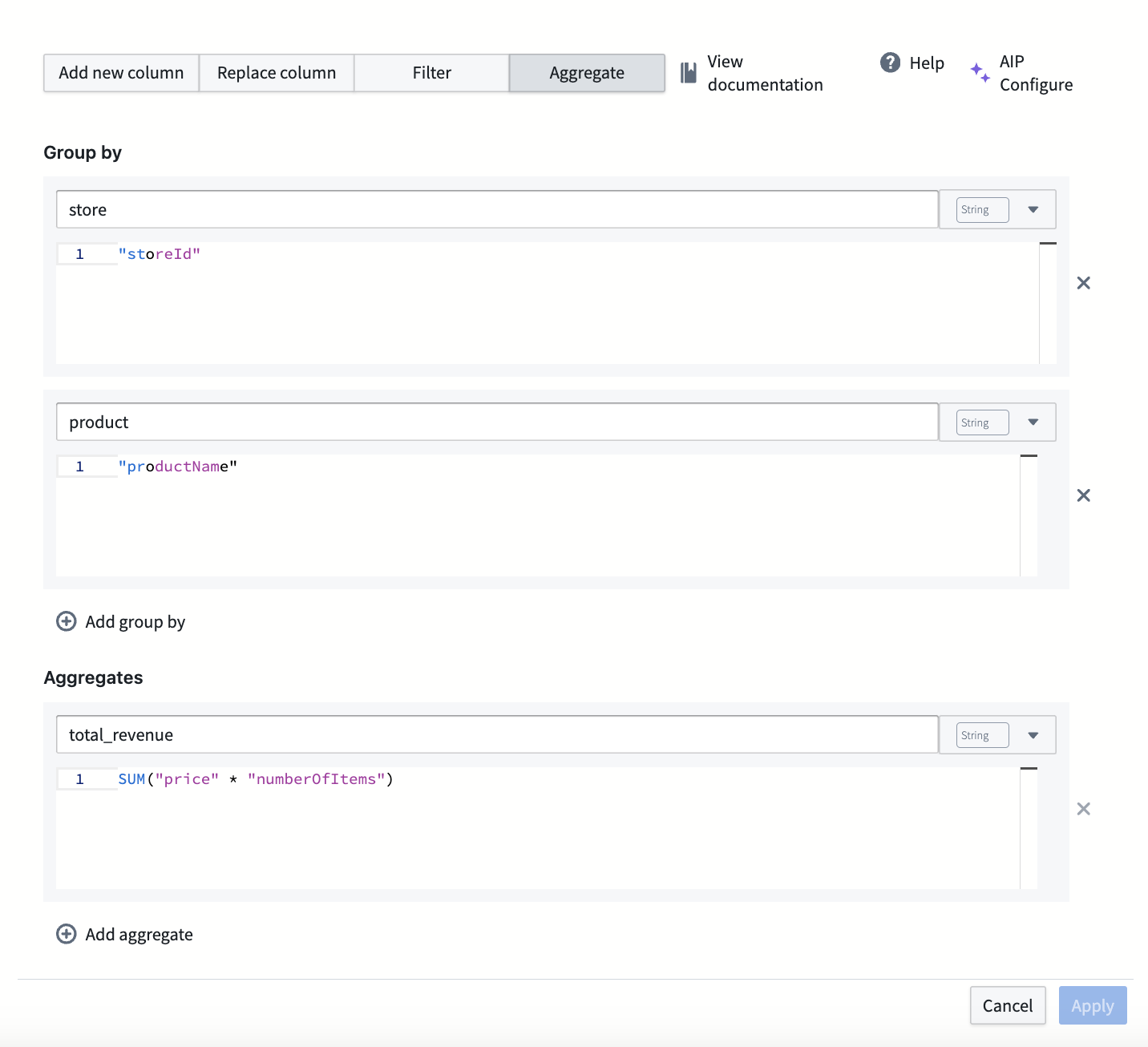
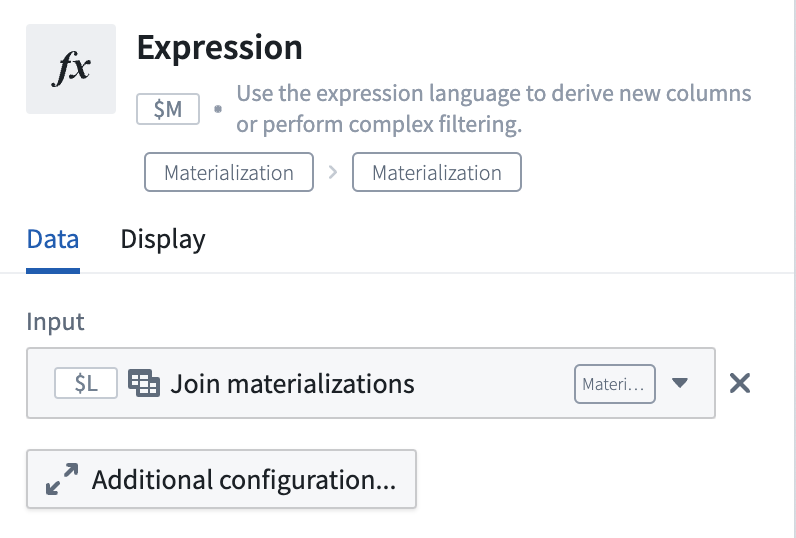 Select **Additional configuration...** to access **Add new column**, **Replace column**, **Filter**, and **Aggregate** options.
 Where [AIP is enabled](../../aip/enable-aip-features/index.md), you can select the **AIP Configure** option in the Expression card to create expressions using natural language.
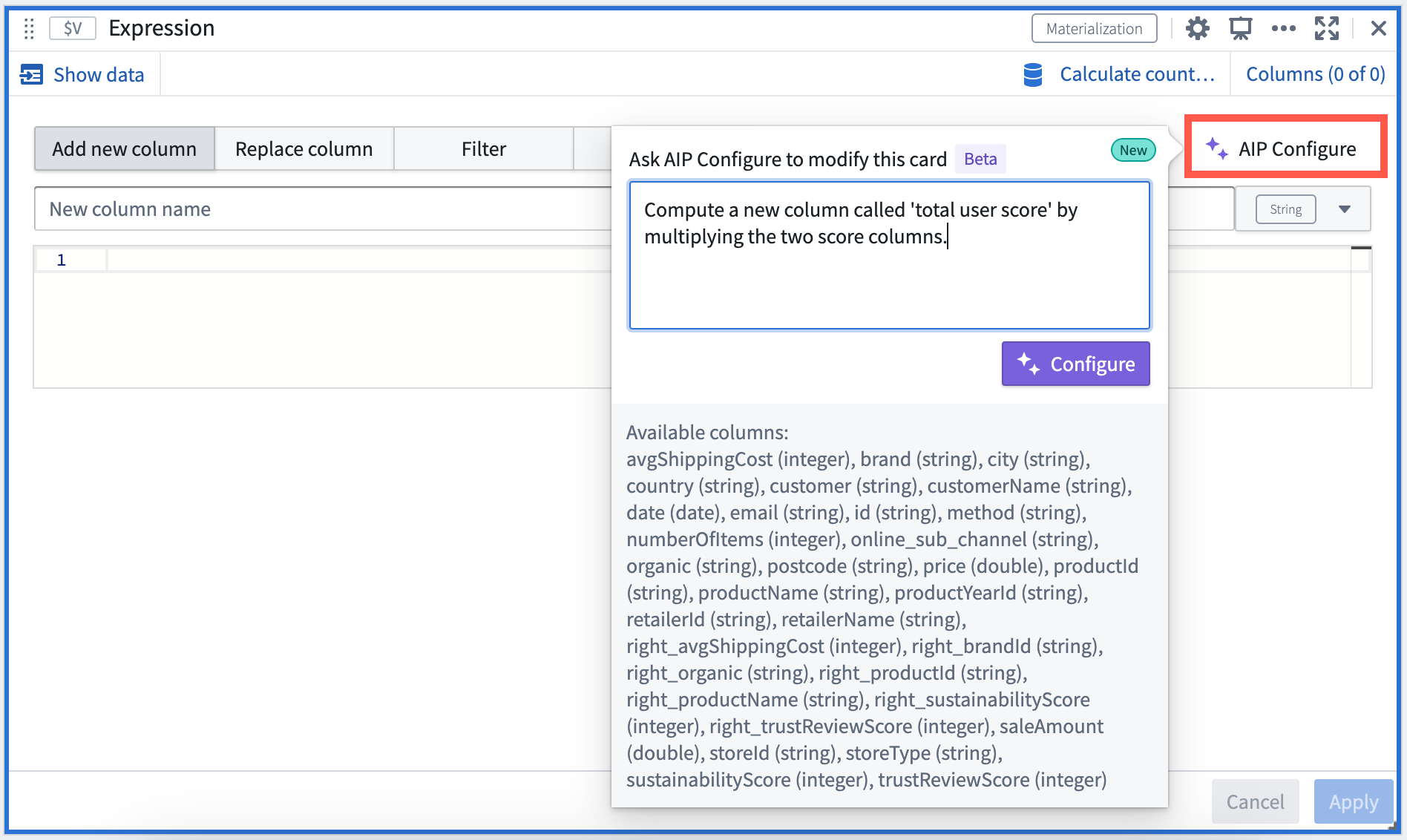
Some sample prompts you can use include:
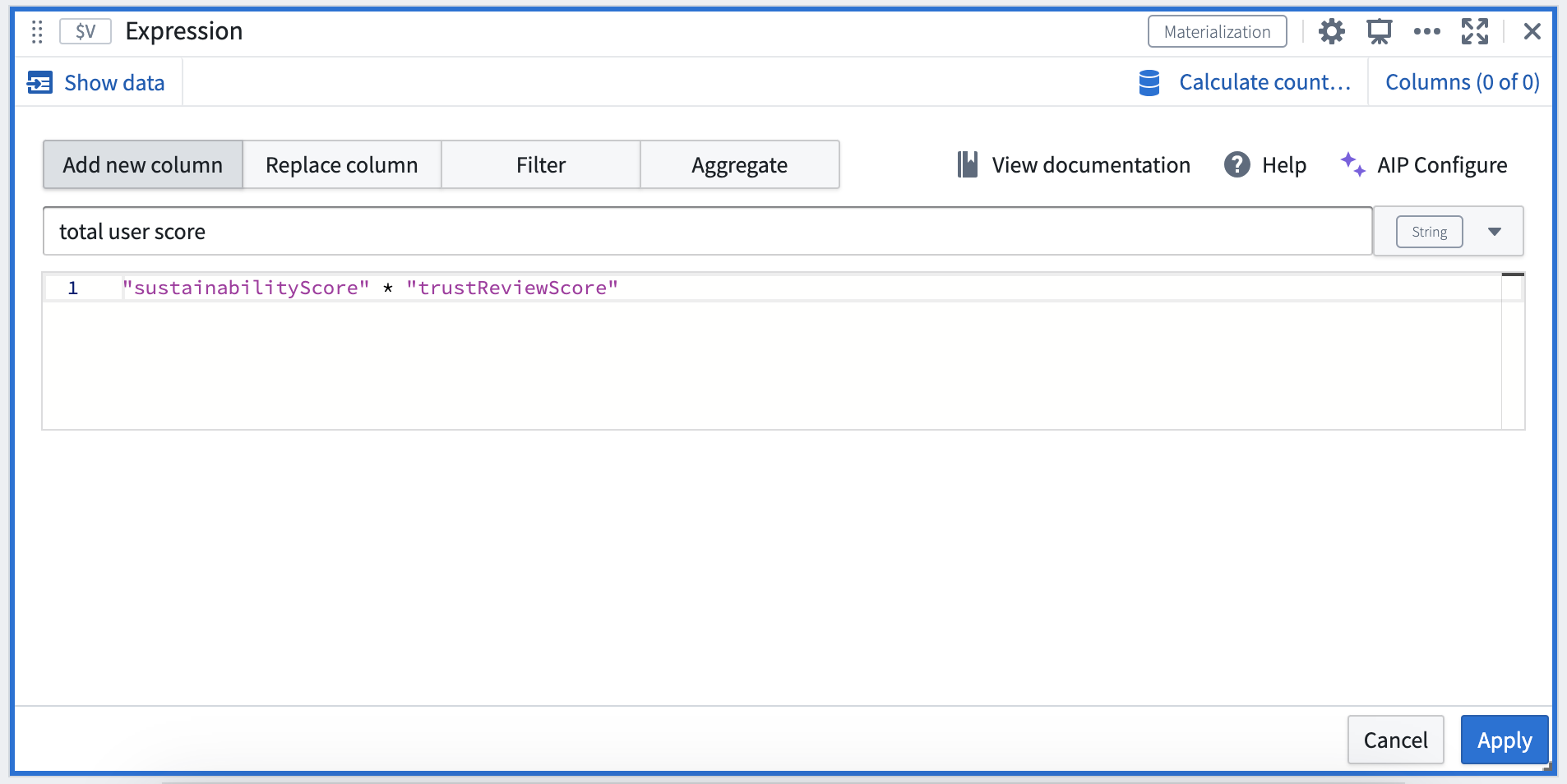
* “Compute a new column called 'total user score' by multiplying the two score columns”
* “Compute the 'total user score' defined by multiplying the two score columns for each organic category”
* “Compute the average sustainability score for each organic category”
* “Update the values in the Organic column to camel case”
* “Concatenate the two product name columns into one of them”
* “Compute the total revenue per product for each store, taking into account price and quantity sold”
AIP provides a suggestion which you can **Apply**.
## Input type
Object set, Dataset
## Output type
Dataset
## Usage information
| Functionality | Availability |
| --- | --- |
| [Standard Quiver card](../core-concepts/index.md#cards) | Supported |
| [Transform table transform](../cards-transform-table/index.md) | Unsupported |
Where [AIP is enabled](../../aip/enable-aip-features/index.md), you can select the **AIP Configure** option in the Expression card to create expressions using natural language.

Some sample prompts you can use include:
* “Compute a new column called 'total user score' by multiplying the two score columns”
* “Compute the 'total user score' defined by multiplying the two score columns for each organic category”
* “Compute the average sustainability score for each organic category”
* “Update the values in the Organic column to camel case”
* “Concatenate the two product name columns into one of them”
* “Compute the total revenue per product for each store, taking into account price and quantity sold”
AIP provides a suggestion which you can **Apply**.

## Input type
Object set, Dataset
## Output type
Dataset
## Usage information
| Functionality | Availability |
| --- | --- |
| [Standard Quiver card](../core-concepts/index.md#cards) | Supported |
| [Transform table transform](../cards-transform-table/index.md) | Unsupported |