# Create a value type
Follow the steps below to create a value type to use across your platform [space](../../security/orgs-and-spaces/index.md#spaces).
1. Navigate to the **Value Types Manager** application from the platform sidebar.
2. From the top left corner, use the dropdown menu to select the space in which you would like to create a value type.
3. Select **Create New Value Type** from the upper right corner.
4. Provide a clear name, description, and unique API name for your value type.
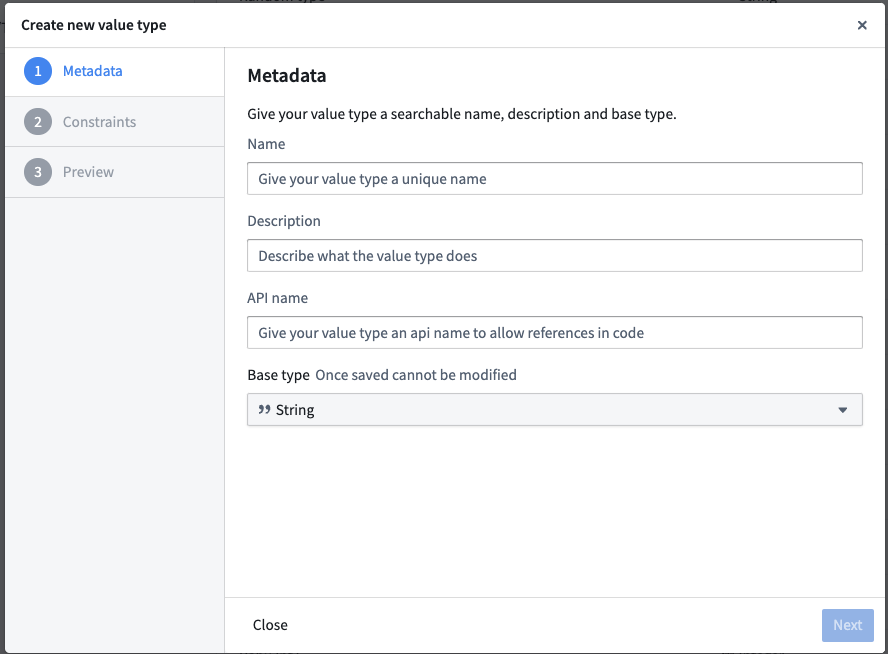 5. Choose a [base type](../base-types/index.md) for your value type.
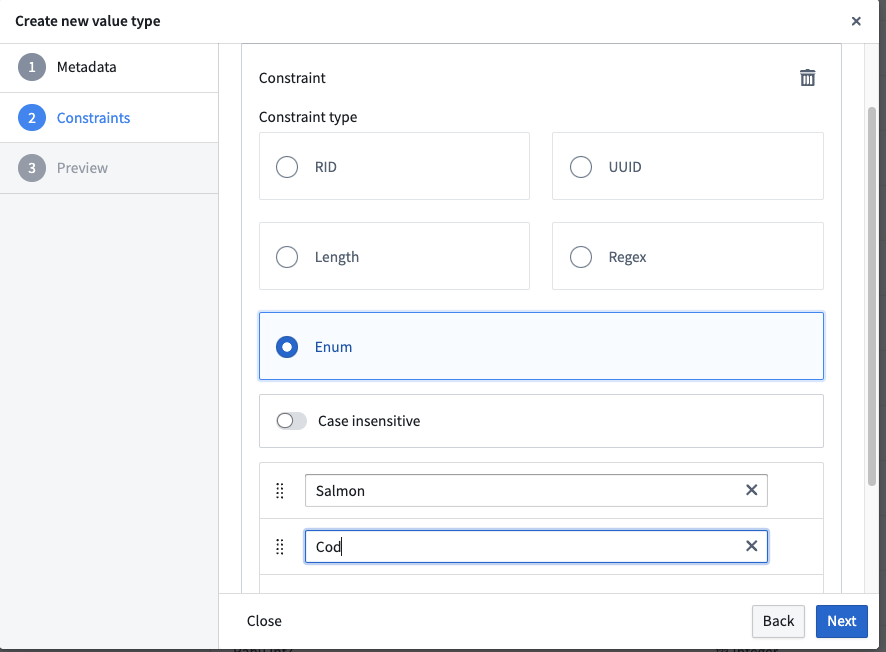
6. (Optional) Define a constraint for your value type. Validation methods include regular expressions for `String` types, enumerated values, ranges, and other methods depending on the base type.
For a full list of constraints supported by base type, review our [value type constraints](../value-type-constraints/index.md) documentation.
When you define a constraint, configure the **Failure validation message** that appears when a value does not satisfy the constraint.
5. Choose a [base type](../base-types/index.md) for your value type.
6. (Optional) Define a constraint for your value type. Validation methods include regular expressions for `String` types, enumerated values, ranges, and other methods depending on the base type.
For a full list of constraints supported by base type, review our [value type constraints](../value-type-constraints/index.md) documentation.
When you define a constraint, configure the **Failure validation message** that appears when a value does not satisfy the constraint.
 7. (Optional but recommended) Provide an example preview value for your value type.
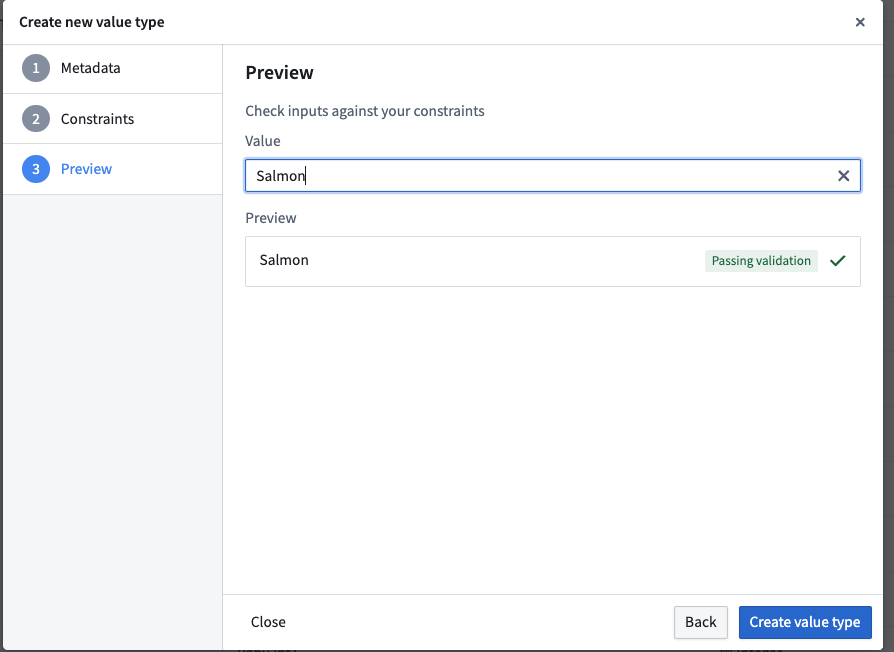 8. Save your value type.