# Create an interface
Follow the steps below to create a new interface in [Ontology Manager](../../ontology-manager/overview/index.md).
1. First, verify you are working within your ontology of choice by checking the **Ontologies** dropdown menu located at the top of the left side panel.
2. To create a new interface, you can do either of the following:
* At the top right of the page, select **New > Interface**.
* From the left panel, select **Interfaces > + New interface** under the **Resources** section. Then, from the **Interfaces** page, select **New interface** from the top right corner of the screen.
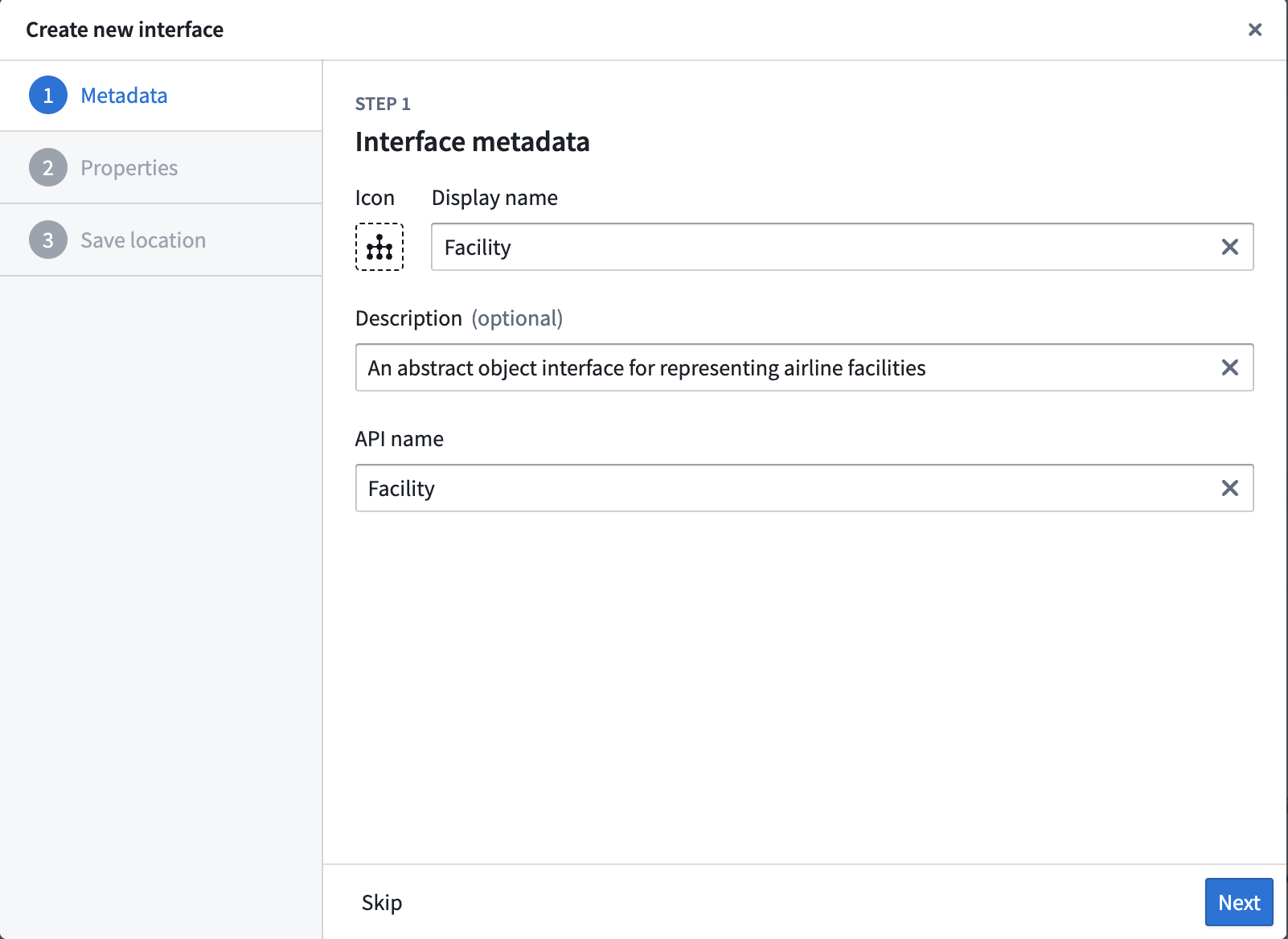
3. The first page of the helper provides information about interfaces. Select **Next**. 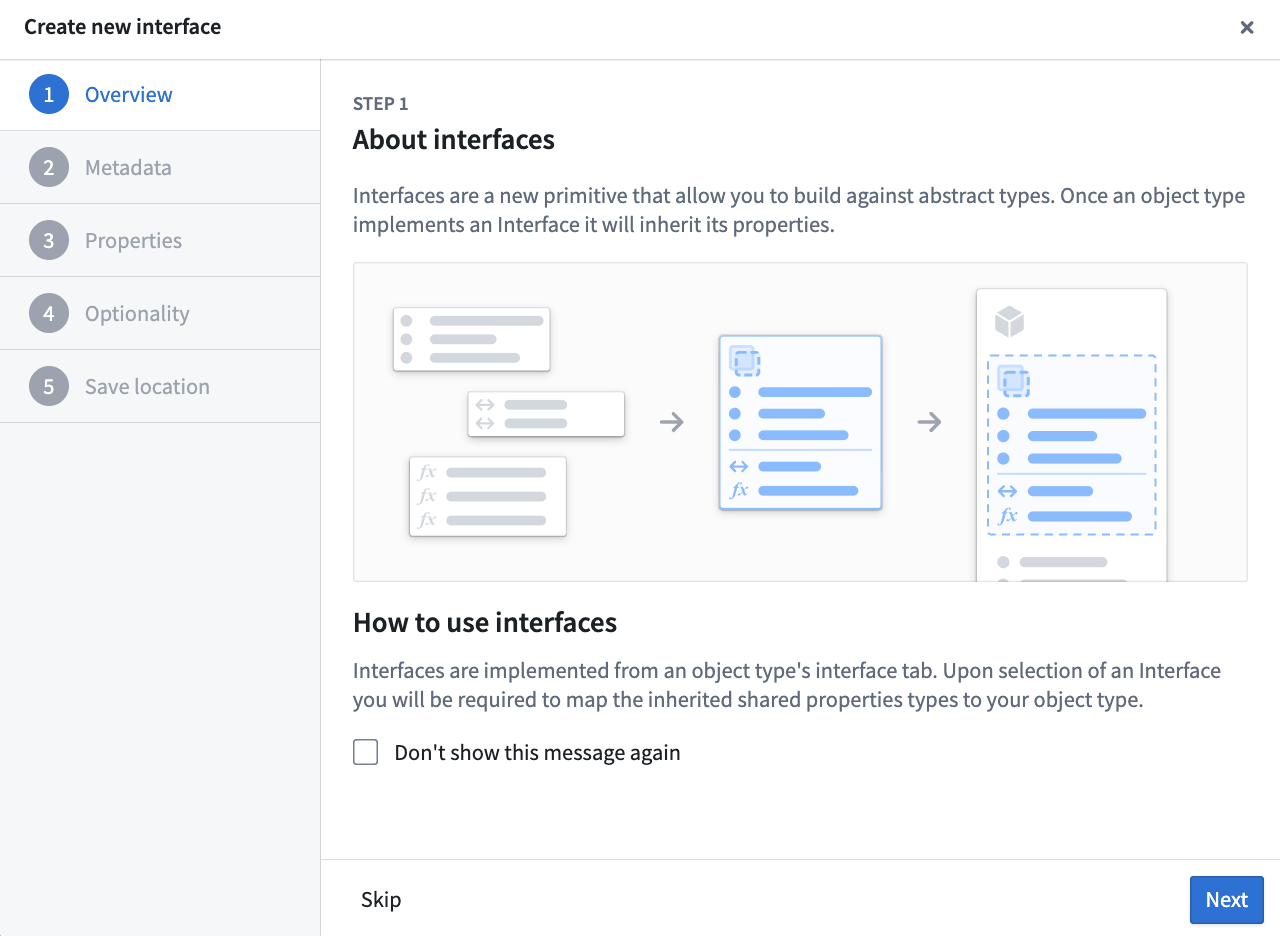 4. Input the display name and API name for your interface. You can also optionally provide a description of the interface and select an appropriate icon.
 5. Add properties to your interface. You can define properties locally on the interface (recommended) or use [shared properties](../../object-link-types/shared-property-overview/index.md). For each property, choose whether it is **required** or **optional**.
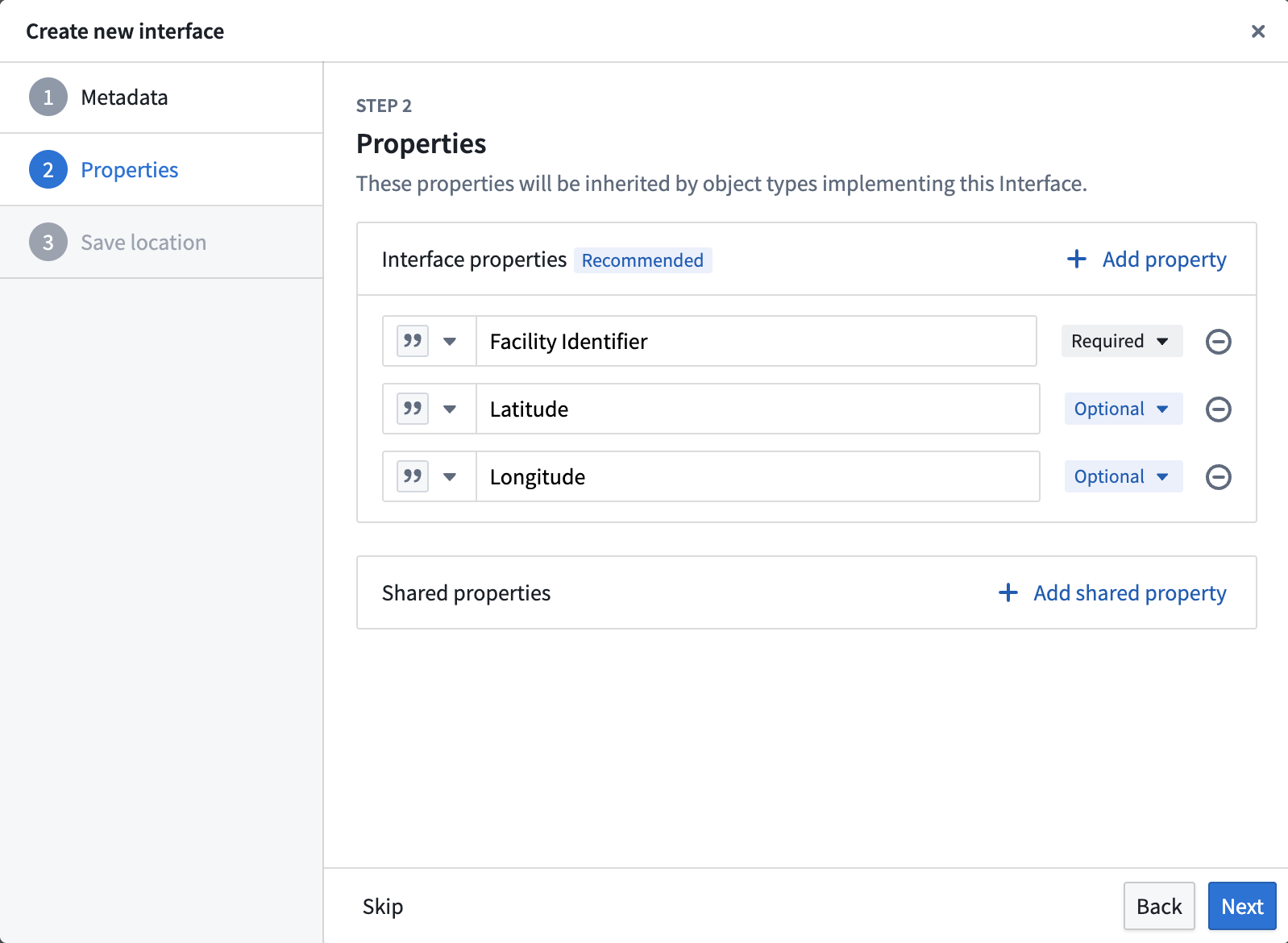 For **required** properties, any object type that implements the interface must provide a mapping from a local property to the interface property. For **optional** properties, mapping may be skipped during implementation. Optional properties can be useful when building Marketplace packages to iterate on your interface without introducing upgrade blockers that may be difficult to resolve.
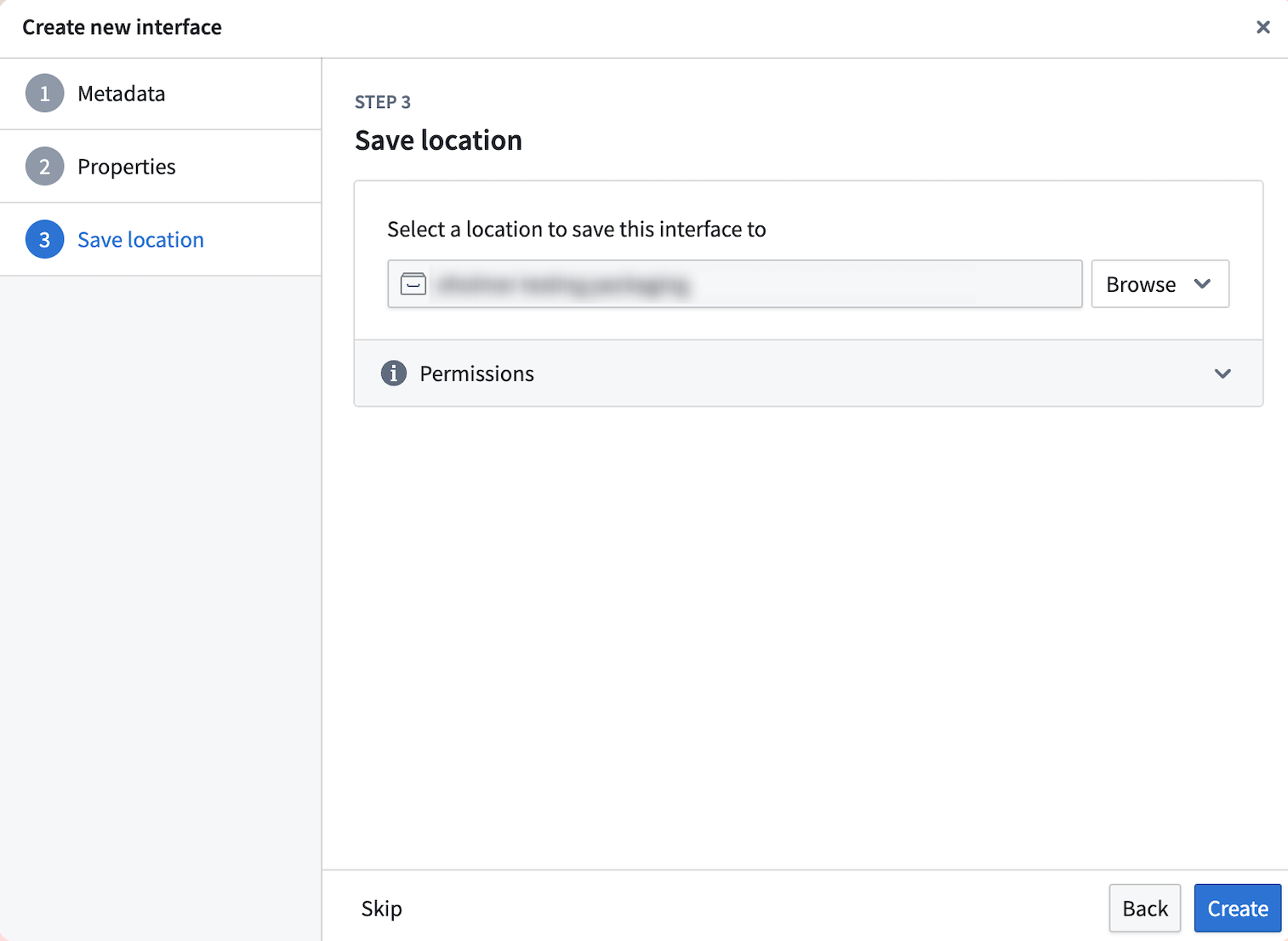
6. Select a project to save this interface to, then select **Create**.
For **required** properties, any object type that implements the interface must provide a mapping from a local property to the interface property. For **optional** properties, mapping may be skipped during implementation. Optional properties can be useful when building Marketplace packages to iterate on your interface without introducing upgrade blockers that may be difficult to resolve.
6. Select a project to save this interface to, then select **Create**.
 7. Back in Ontology Manager, select **Save** in the upper right corner to [make the change to your ontology](../../ontology-manager/save-changes/index.md).
## Create interface link types (optional)
If you want this interface to link to another interface or object type, you can optionally add any [interface link types](../interface-link-types-overview/index.md) to the interface.
7. Back in Ontology Manager, select **Save** in the upper right corner to [make the change to your ontology](../../ontology-manager/save-changes/index.md).
## Create interface link types (optional)
If you want this interface to link to another interface or object type, you can optionally add any [interface link types](../interface-link-types-overview/index.md) to the interface.
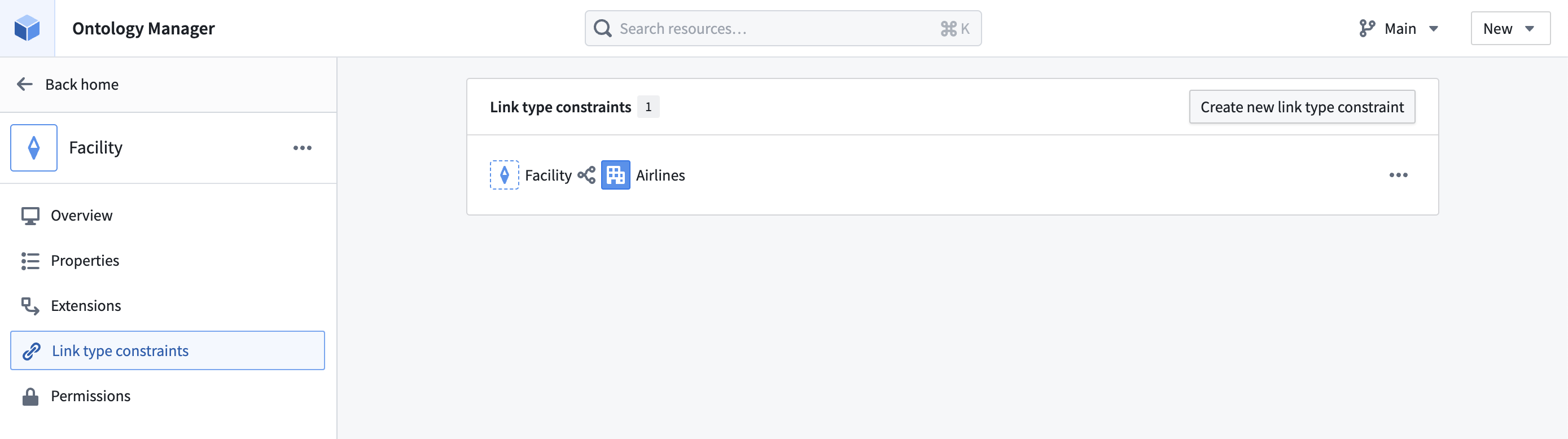 1. Select **Link type constraints** in the left side panel.
2. Then, select **Create new link type constraint** in the top right corner.
1. Select **Link type constraints** in the left side panel.
2. Then, select **Create new link type constraint** in the top right corner.
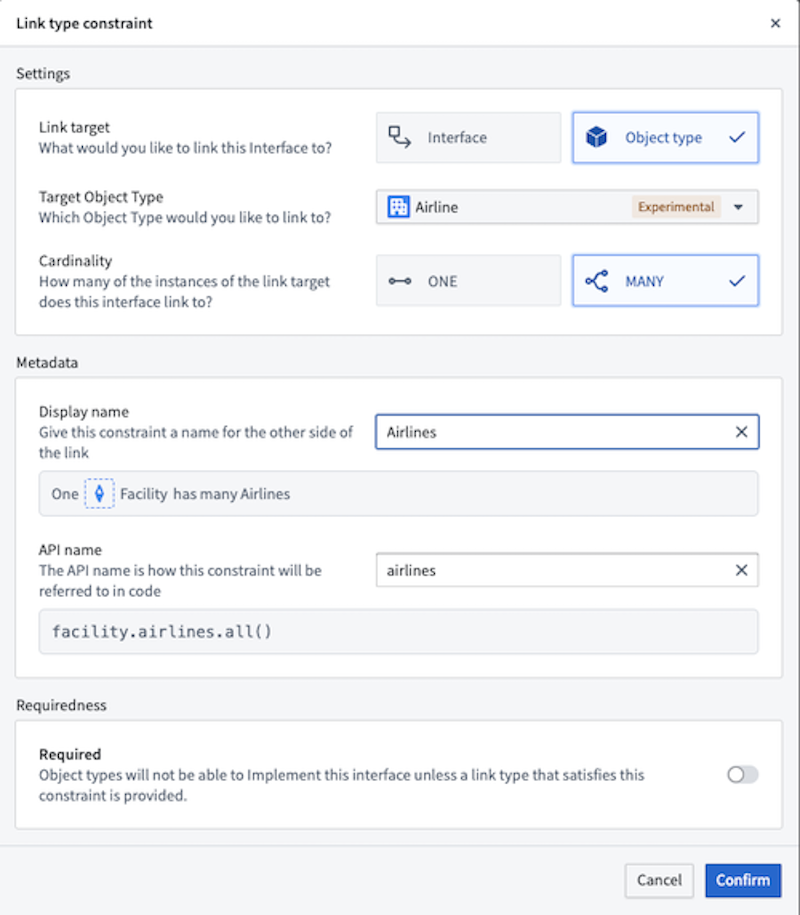 If an interface link type is required for your modeling use case, any object type that implements the interface must add a new or existing link type that satisfies the interface link type constraints.
## Create interface action type constraints (optional)
If you want an interface to define expected action capabilities across implementing object types, you can optionally add [interface action type constraints](../interface-action-type-constraints/index.md) to the interface.
If an interface link type is required for your modeling use case, any object type that implements the interface must add a new or existing link type that satisfies the interface link type constraints.
## Create interface action type constraints (optional)
If you want an interface to define expected action capabilities across implementing object types, you can optionally add [interface action type constraints](../interface-action-type-constraints/index.md) to the interface.
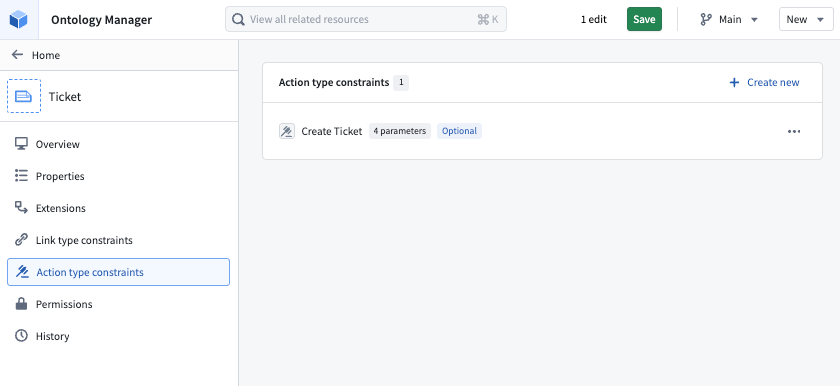 1. Select **Action type constraints** in the left side panel.
2. Select **Create new**.
3. Add the constraint metadata, choose whether implementation is required, and configure any parameter constraints.
1. Select **Action type constraints** in the left side panel.
2. Select **Create new**.
3. Add the constraint metadata, choose whether implementation is required, and configure any parameter constraints.
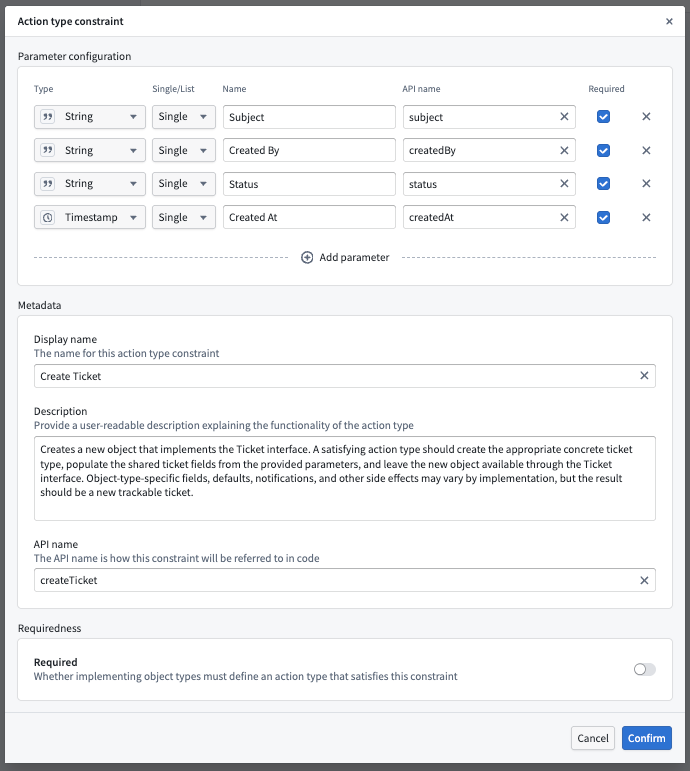 If an interface action type constraint is required for your modeling use case, any object type that implements the interface must map the constraint to a concrete action type that satisfies the interface action type constraint.