# Author and run a rule
The following steps will guide you through the process of authoring and running a rule in a Workshop application.
1. **Find the Workshop Rule application:** From the workflow configuration screen, select the folder and choose the Workshop application.
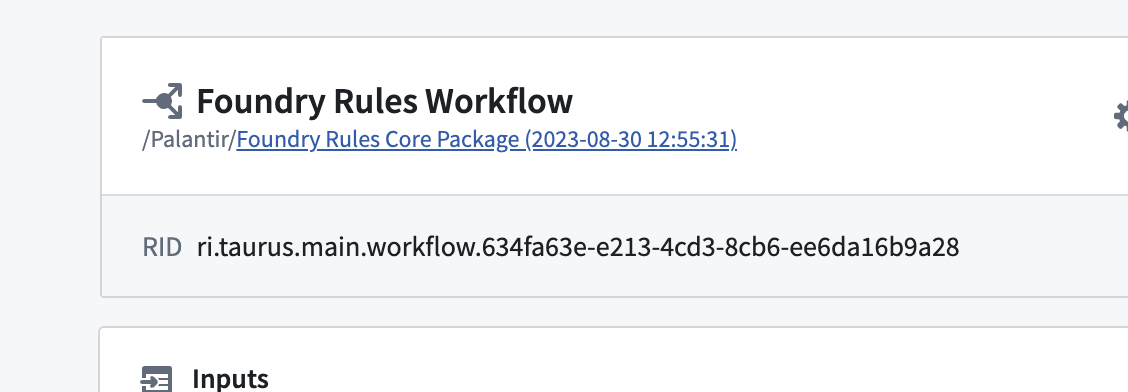
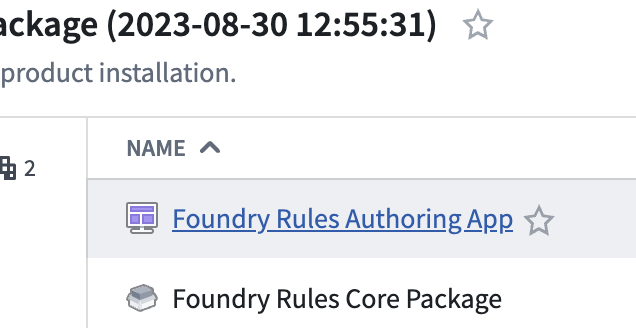
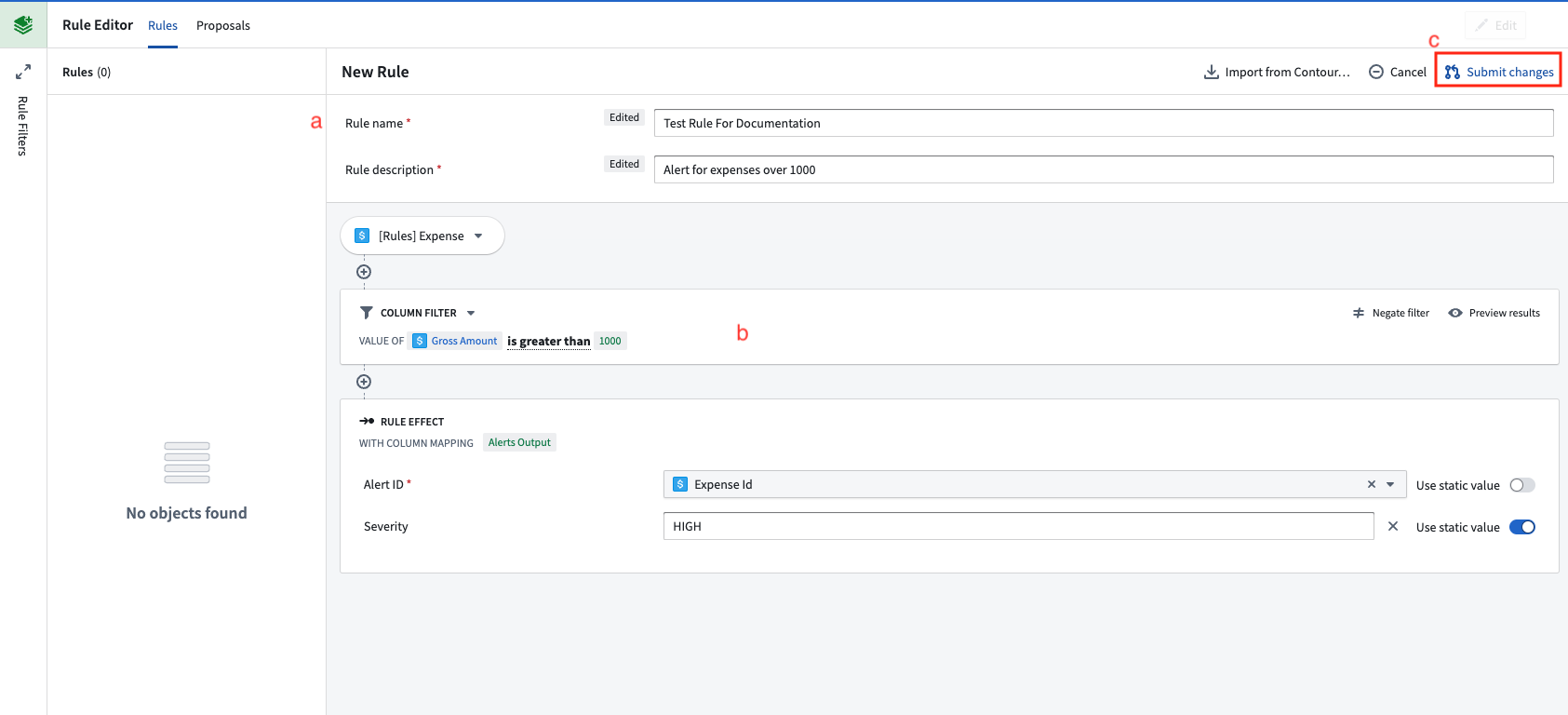
2. **Author a rule:** Within the Workshop application created in the previous step, click the **Create New** button to begin creating a rule.
* (a) Fill out the form at the top of the rule with a name, description, and other information.
* (b) Author logic that you want the rule to execute. For example, this could be a simple filter.
* (c) Click **Submit changes** to create a proposal for this new rule.
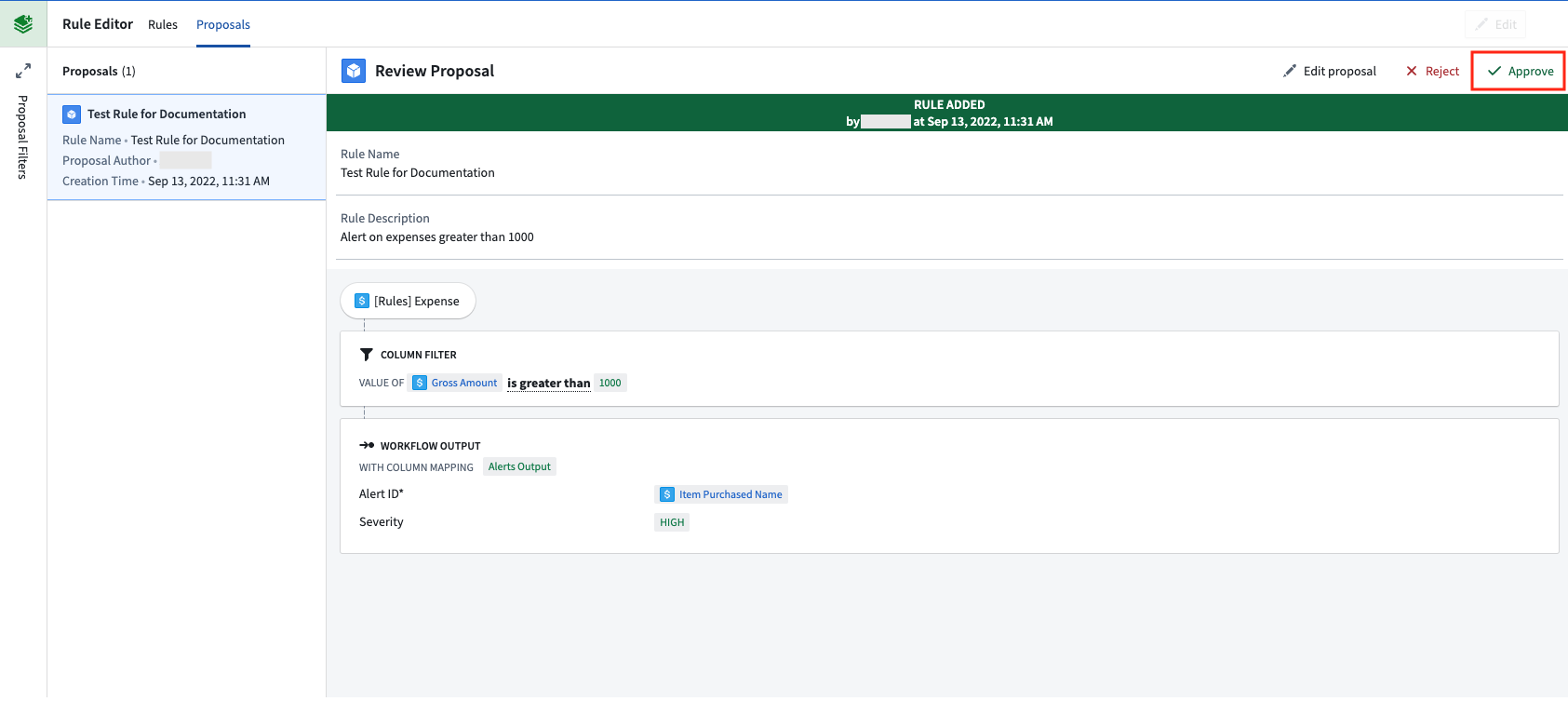
3. **Approve the proposal:** Within the **Proposals** tab of the Workshop application, select the newly created proposal on the left side.
* Select **Approve** to activate it as a rule.
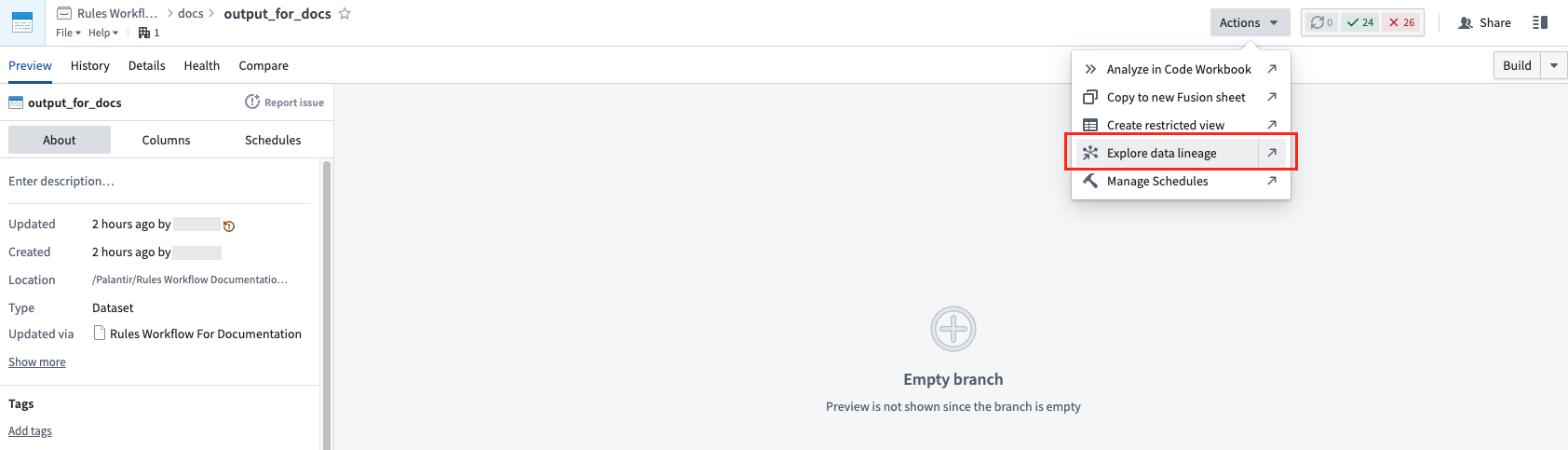
4. **Build the rule writeback and rules output datasets:** Navigate to the output dataset that was created while [configuring the workflow](../configure-workflow/index.md). The rule writeback dataset is the [writeback dataset or materialization](../../object-edits/materializations/index.md#comparison-of-writeback-datasets-and-materialized-datasets) of the rule object type and holds the rules that the [transforms pipeline](../foundry-rules-workflow-configuration/index.md#rule-execution) applies to your workflow inputs.
* Choose **Actions**, then **Explore data lineage** to view the input datasets.
* Select both the rules writeback dataset (d) and the output dataset (e).
* Right-click with both datasets selected and choose **Build**.
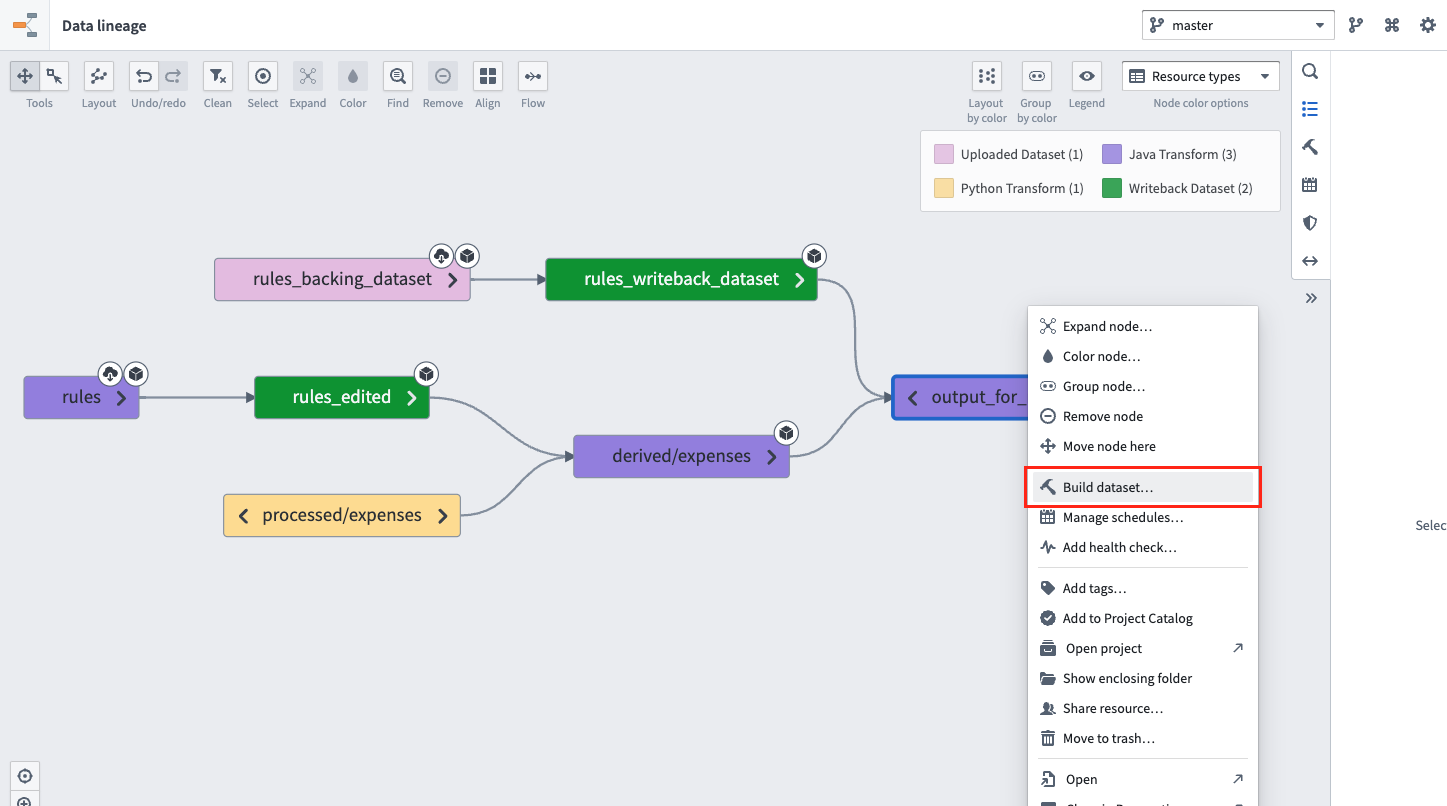
* Once the build has completed, the output dataset will contain the results of your new rule. In the future, these two datasets can be placed on a [schedule](../../data-lineage/manage-schedules/index.md) to keep the outputs up to date.