# Find datasets with a given column
You can easily search for specific dataset columns within your Data Lineage graph:
* First, ensure you added all datasets of interest in your pipeline to your lineage graph.
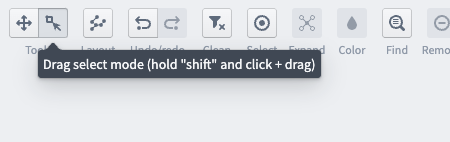
* Next, select all datasets of interest by using **Drag select mode** in the Tools toggle in the upper left hand corner of the app. You can also hold down `Ctrl / Command` to select multiple nodes at once, or use `Ctrl / Command + A` to select all nodes.
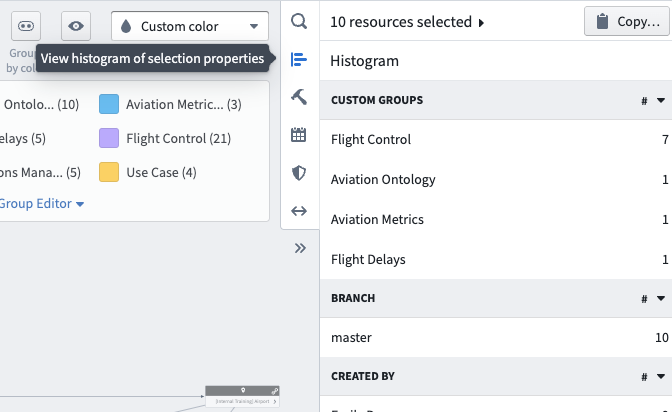
* Then, select **View histogram of selection properties** from the Data Lineage sidebar.
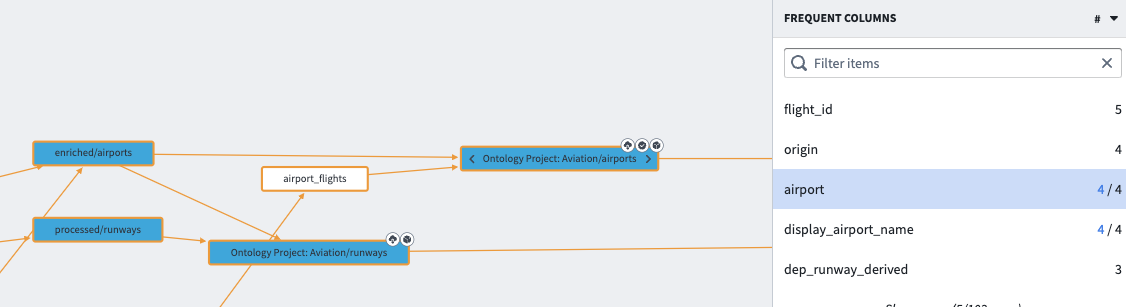
* Under the **Frequent Columns** section, you can see the most frequent columns by name in your selection.
* Click one of the columns to highlight the datasets in your selection that contain this column.