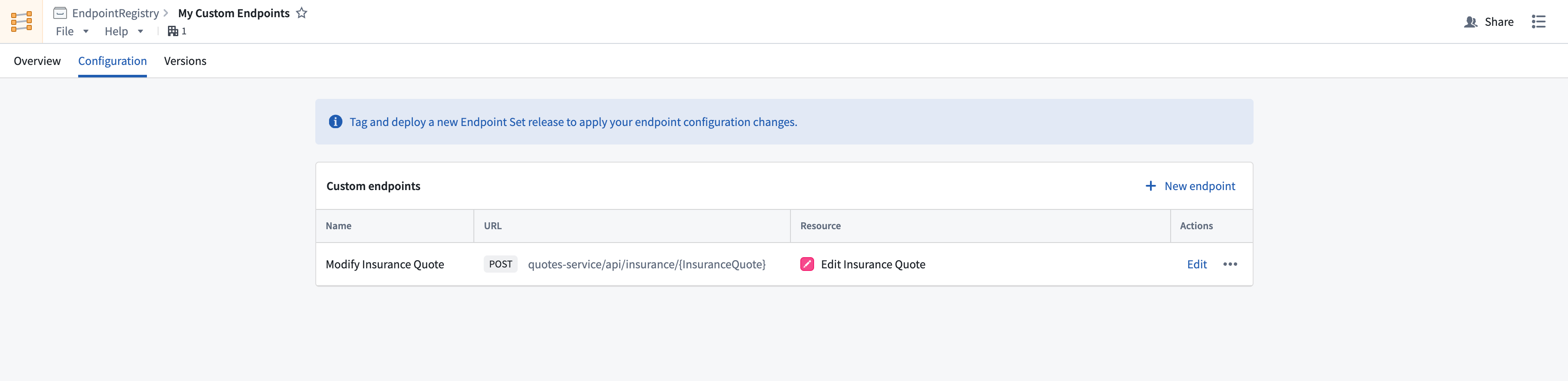
# Define custom endpoints
After creating an endpoint set, you can configure new endpoint definitions that expose Foundry functions and actions.
Follow the instructions below to create a new endpoint definition:
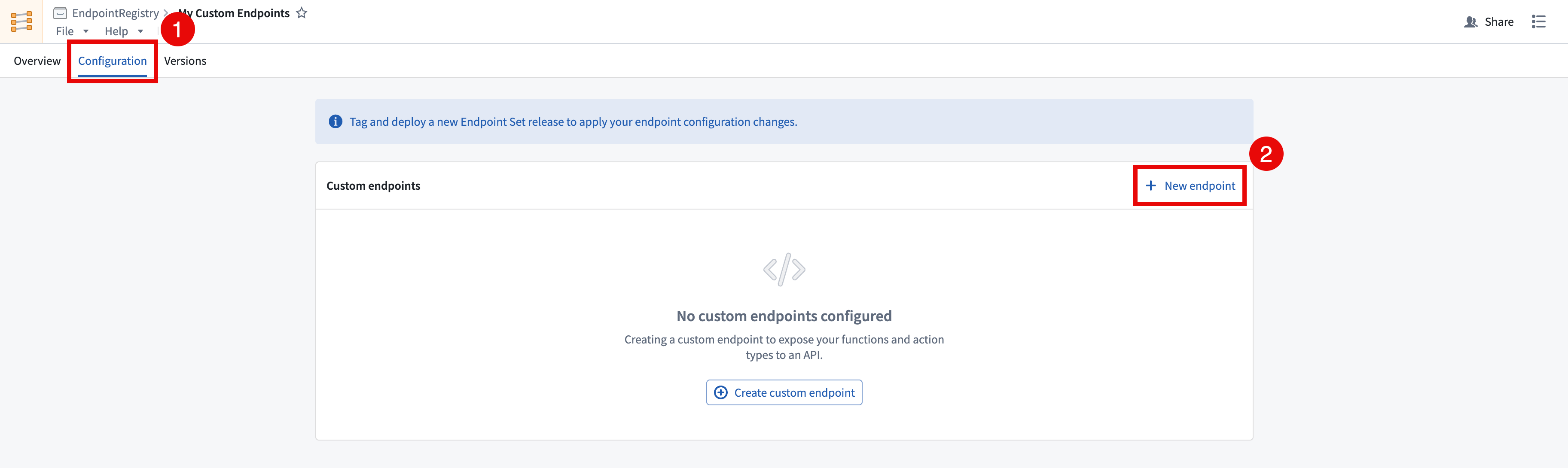
1. In the Custom Endpoints application, open the endpoint set that you want to add custom endpoints to and navigate to the **Configuration** tab.
2. Select **+ New endpoint** in the top right of the **Custom endpoints** table. This will open the **Create a custom endpoint** wizard. Newly created endpoint definitions will not be accessible until a release is created and deployed.
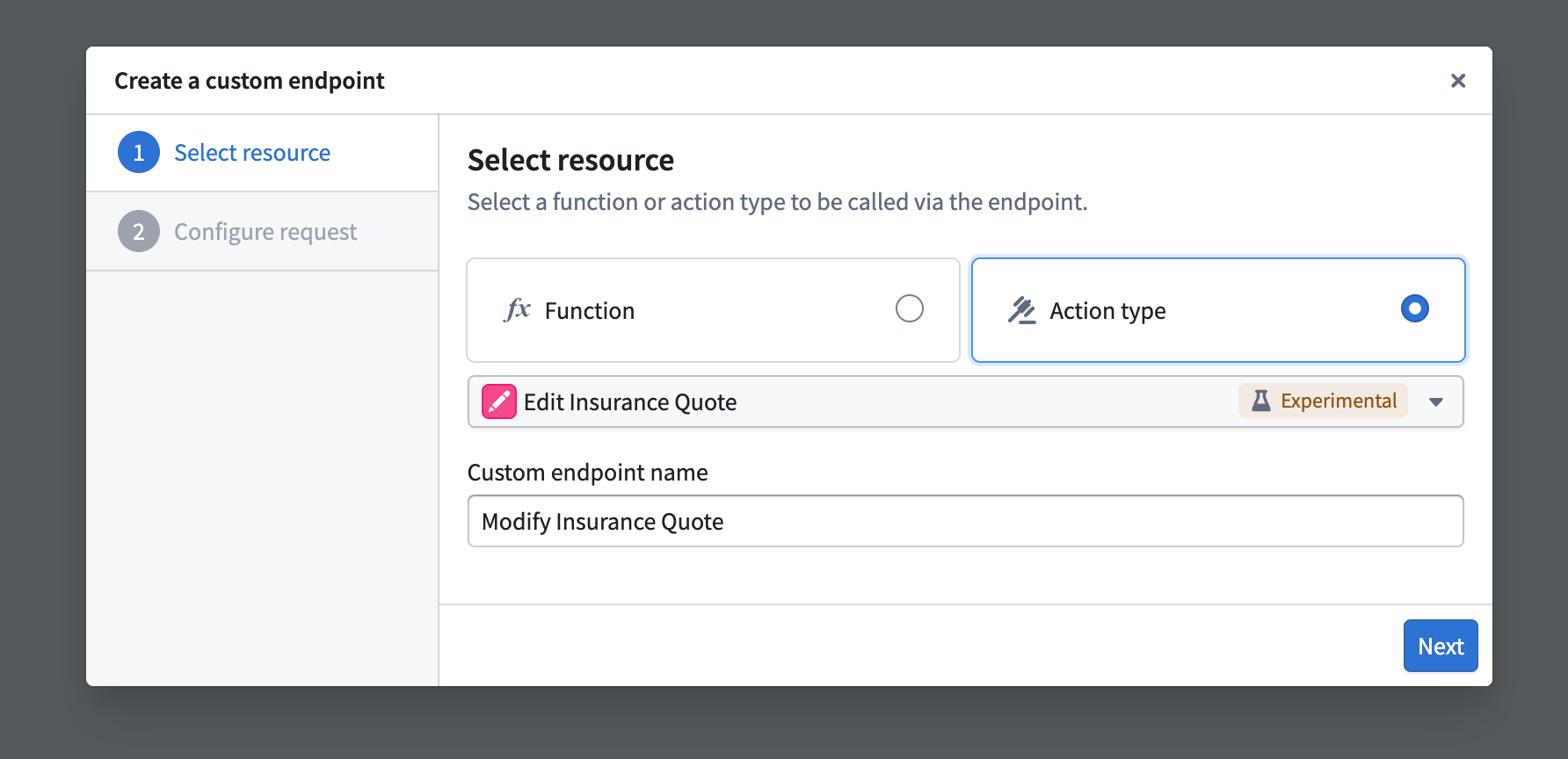
3. In the **Create a custom endpoint** wizard, input your endpoint's name and select a backing action or function to be executed by your endpoint.
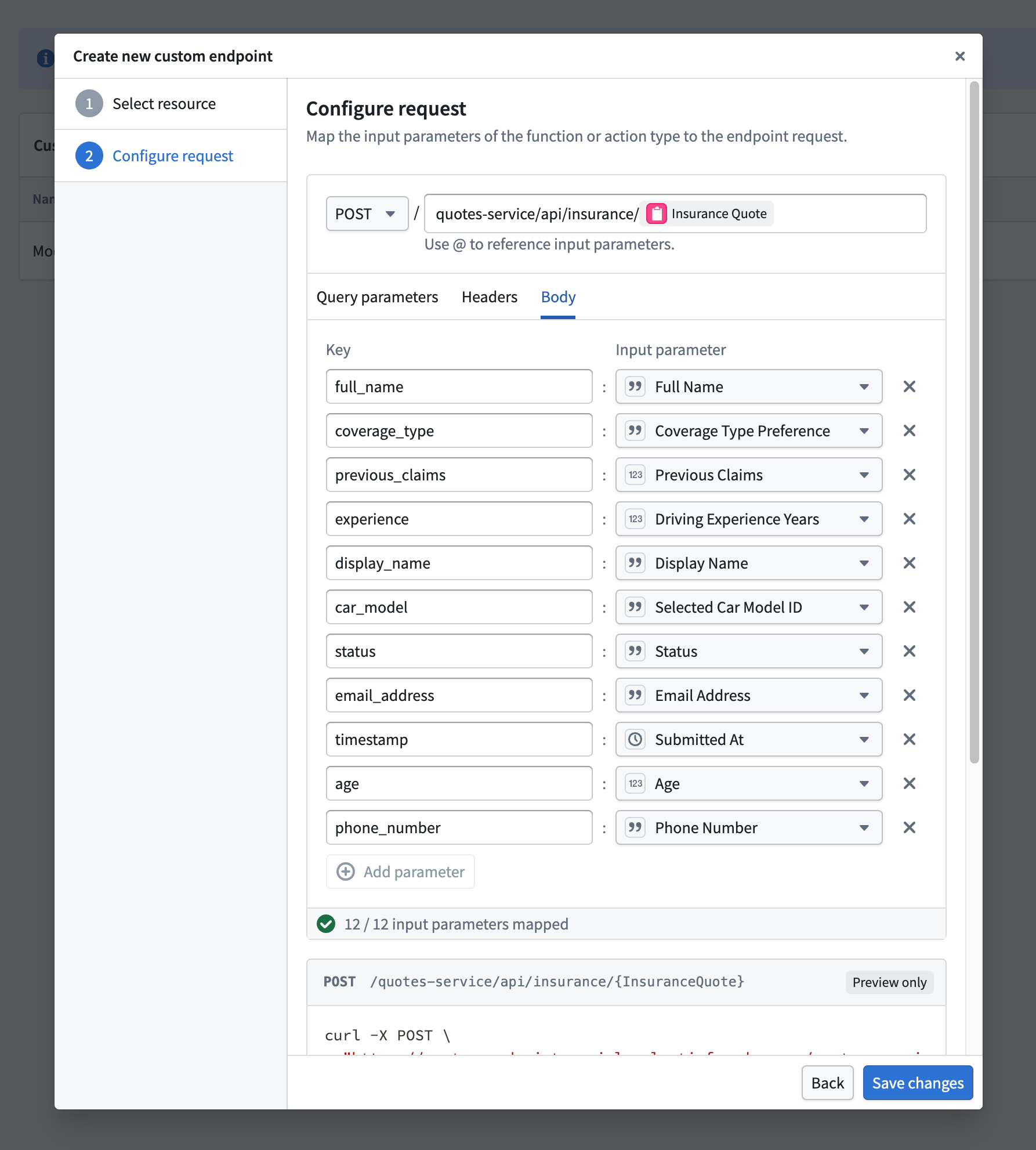
4. After selecting a backing function or action, you will be asked to map each parameter to a newly defined endpoint parameter. The following configuration options are currently supported:
* **User-defined request types:** `GET`, `POST`, `PUT`, `DELETE`, and `PATCH`.
* **User-defined endpoint routes:** Host a new endpoint on your application's subdomain, allowing you to define a custom path with path parameters conforming to your organization's standards, such as `/form/{formId}/section/{sectionId}`.
* **User-defined query parameters:** Define query parameters that will pass in additional information to the underlying function when specified.
* **User-defined header parameters:** Provide additional headers in your request that can be handled and mapped to function inputs.
* **User-defined request body:** Custom request body shape definitions for `POST`, `PUT`, `PATCH`, and `DELETE` requests.
:::callout{theme="warning"}
All parameters must be mapped in the custom endpoint definition, including optional parameters. Some JSON parameters can only be mapped to the endpoint's `requestBody`.
:::
5. After selecting a resource and configuring the request remapping, select **Create Endpoint** to save the new endpoint’s definition.